
ESPN
DisneySports
4.5199.48K Reviews
- Version
- Varies With Device
- Installs
- 100.00M
- Age Rating
- Everyone 10+
Screenshots
Our Review of ESPN
 Analysis by Appyee
So, I’ve been diving into the world of sports apps lately, and one that really caught my attention is ESPN. If you’re a sports fanatic like me, you’ll probably agree that keeping up with all the games, scores, and news can be a bit overwhelming. That’s where this app comes in handy.
Keeping sports in reach during a busy day
I find this app most useful when I want a quick, dependable way to follow several parts of the sports world without hopping between team accounts, league pages, and news sites. On a work break, for example, I can check a score, scan a headline, and decide whether a game is worth following more closely. That combination makes ESPN more practical than a single-team app for someone whose interests shift between leagues or sports.
The app is a sports product from Disney, and its broad focus is also its defining trade-off. It can bring scores, reporting, alerts, and live viewing into one place, but that breadth means the home screen may include stories or events I do not care about. Setting favorite teams and competitions early is worth the small effort: it helps turn a general sports feed into something closer to a personal one, rather than relying on the default mix.
For a realistic routine, I would use it before a match to check the schedule and enable only the alerts that matter, then open the app during the game when I have a few minutes to spare. I would not turn on every notification. A busy sports calendar can make frequent alerts distracting, so I treat them as a filter for important moments rather than a substitute for watching or checking scores myself.
Best fit: fans who follow more than one team, want sports news alongside live scores, or sometimes watch through the app. If you only need the final score for one club, a simpler scoreboard or that team’s own app may feel quieter and faster. If your main interest is detailed analysis of one league, a specialist publication can offer a narrower editorial focus than a general sports destination.
First Impressions
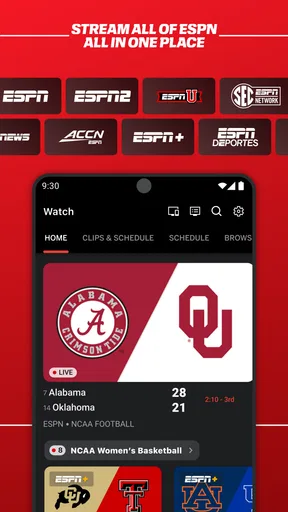
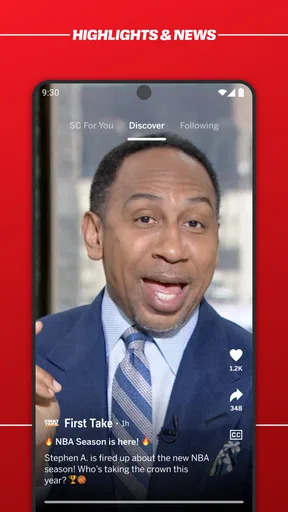
From the moment I installed the ESPN app, it was like having a sports bar in my pocket. The interface is sleek and easy to navigate, which is a breath of fresh air when you just want to check the score and not get bogged down by unnecessary features. The app is well-organized, with a home screen that displays the latest news and highlights, making it super easy to find what you’re looking for.
That first impression is strongest when I arrive with a clear purpose, such as checking a score or finding the latest coverage of a favorite team. When I open it without a particular goal, the range of content can make browsing less focused. I would use the personalized setup to make the landing experience more relevant, and return to the broader news feed when I actually want to explore what is happening across sports.
Features That Stand Out
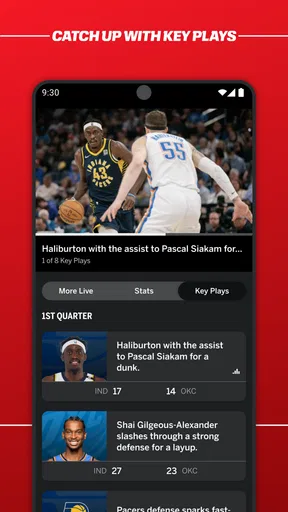
One of the first things I noticed was how comprehensive the app is. It covers a wide range of sports, from football and basketball to less mainstream ones like cricket and rugby. This is perfect for those of us who like to dabble in different sports.
That range is useful when one season ends and another begins, or when a major event draws me toward a sport I do not follow every week. It also means the app is not necessarily the best place to go for deep coverage of every niche competition. I see it as a convenient starting point for broad awareness; when I want specialist context, I would pair it with a source focused on that particular sport.
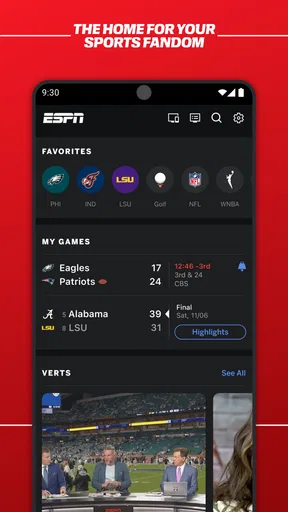
Another feature that I found really cool is the personalized notifications. You can set up alerts for your favorite teams and sports, so you never miss a moment. Whether it’s a game reminder or breaking news, you’ll get a heads-up right on your phone. It’s like having a personal assistant just for sports.
My practical tip is to be selective about what earns a notification. I would prioritize a game I plan to follow and news tied to a team I care about, rather than asking the phone to surface every update. That makes alerts more useful when I am away from the app and less likely to become background noise. Before a busy evening, checking the teams I have selected is also a quick way to avoid surprises from a matchup I meant to follow.
There is a useful distinction between alerts and an actual viewing plan: a notification can tell me to look, but it cannot guarantee that the event is available to watch through my current access. I would treat an alert as a prompt to open the app and check the options, not as a promise that every game will stream for every user.
Live Streaming and Score Updates
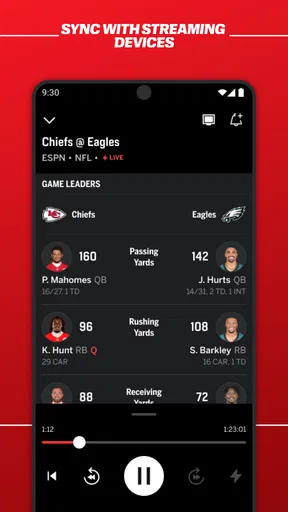
Now, let’s talk about live streaming. If you have a cable subscription, you can access live streams of games directly through the app. This is a game-changer, especially when you’re on the go and can’t be near a TV. The streaming quality is pretty solid, although it can vary based on your internet connection.
For me, this makes the app a convenient companion rather than a guaranteed replacement for television. If I already have the required access and a stable connection, opening a stream while away from home is useful. If I do not have the right subscription, or my connection is unreliable, the app can still help me follow scores and coverage, but I would not plan my entire viewing around a stream being available. That is the main question I would settle before relying on it for a particular game: whether my access covers the event I want to watch.
On a commute or while waiting between appointments, I would use score updates for quick check-ins rather than trying to watch video on an unstable connection. At home, I might keep the app nearby for news and scores while watching a game elsewhere. This split use is one of its strengths: a fan does not have to treat live video as the only reason to open the app.
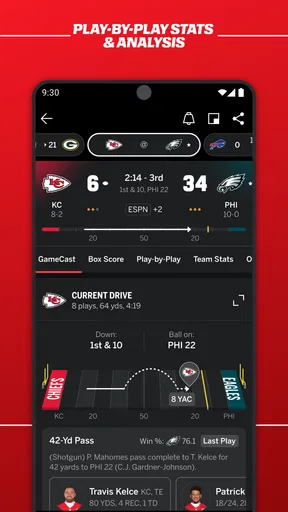
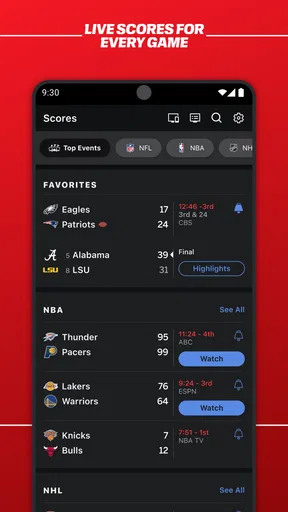
And those live score updates? They’re lightning fast. I’ve compared them to other apps, and ESPN consistently delivers scores quicker. This might not seem like a big deal, but when you’re eagerly waiting to see if your team scored, every second counts!
Speed matters most when I am following a close game without watching it. Still, I would avoid running two scoreboard apps at once just to race them; that adds clutter without improving the experience. If I am watching a live broadcast, updates can also arrive at a different pace from the video, so I prefer to keep one source open and use it consistently instead of switching back and forth.
Compared with a basic score-only app, ESPN gives me more surrounding context: news and viewing sit alongside the scores. A dedicated scoreboard may be the better choice when I want a stripped-down display, while ESPN makes more sense when I want the story around the result as well. Neither approach is universally better; it depends on whether I am checking one number or following the larger sports conversation.
User Experience
What I love about this app is how user-friendly it is. Even if you’re not the most tech-savvy person, you’ll find it intuitive. The navigation is straightforward, and you can easily switch between news, scores, and live streams without any hassle.
As a sports app, it is designed for quick visits as much as longer browsing sessions. I can open it, get the information I came for, and leave without needing to build a complicated workflow. The flip side is that video and a large news feed can consume more attention than a quick score check, so I would use the score view when time is short and save broader browsing for when I actually have time.
The app also offers a lot of customization options. For instance, setting your favorite teams allows the app to prioritize content that matters most to you. It’s these little touches that make the app so engaging.
One small but useful habit is to revisit those choices when my interests change. A favorite team that mattered during one season may not be what I want on the front of my feed now. Keeping the selections intentional is a better way to manage relevance than expecting a broad sports app to guess exactly what I want every day.
ESPN is free to download, which makes it easy to try as a scores-and-news companion before deciding whether its viewing options suit me. In-app purchases are offered, ranging from $4.99 to $79.99 per item, so I would review any purchase carefully and distinguish it from the basic act of installing the app. The age rating is Everyone 10+, a point families may want to consider when choosing what younger sports fans use.
Its long history also helps explain why the app feels like a broad destination rather than a narrow utility: it was released in 2010 and has continued as a familiar sports option. It runs on Android versions from 5.1 onward. I would still judge it by how well it fits my current routine, not by how long it has been around; older devices and newer viewing needs can make the experience different from one person to another.
At the time of writing, it holds a 4.3 average from around 1.2 million ratings, with about 198,000 written reviews and over 100 million installs. Those figures suggest that it has reached a large audience, but they do not tell me whether its mix of news, scores, and viewing matches one particular fan’s needs. I would give it a try for the free basics, personalize the teams, and decide from everyday use whether the extra breadth is helpful or simply more than I need.
What I would keep an eye on
For existing users, the central question is whether the app continues to make the basics easy while serving people who want more than a scoreboard. Sports habits change with schedules and interests, so I would pay attention to whether my selected teams remain prominent and whether alerts stay worth receiving. I would also check viewing access before relying on a stream for an important game, especially when I am away from my usual setup.
I would not assume that a large, established app automatically suits every fan. Someone who dislikes a busy feed, wants only a single league, or expects every live event to be available without checking access may be happier with a focused alternative. On the other hand, if I want one place to move between a score, a headline, and a possible live stream, the range is a real advantage.
In conclusion, if you’re looking for a comprehensive sports app that keeps you in the know without overwhelming you, ESPN is definitely worth trying out. It’s packed with features that cater to both hardcore fans and casual viewers alike. So go ahead, download it and unleash your inner sports enthusiast!
Privacy and Permissions
See what permissions an app requests and how it handles your data.
- Location
- approximate location (network-based)
- Phone
- read phone status and identity
- Photos/Media/Files
- read the contents of your USB storage, modify or delete the contents of your USB storage
- Storage
- read the contents of your USB storage, modify or delete the contents of your USB storage
- Camera
- take pictures and videos
- Microphone
- record audio
- Wi-Fi connection information
- view Wi-Fi connections
- Device ID & call information
- read phone status and identity
- Other
- view network connections, pair with Bluetooth devices, full network access, run at startup, reorder running apps, draw over other apps, control vibration, prevent device from sleeping, read Google service configuration
Verdict
Strengths of ESPN
- Comprehensive sports coverage across leagues.
- User-friendly interface with easy navigation.
- Live scores and real-time updates available.
- Personalized notifications for favorite teams.
- High-quality video streaming options.
Limitations of ESPN
- Frequent ads interrupt the user experience.
- Some features locked behind a paywall.
- Occasional app crashes reported by users.
- Limited coverage for niche sports events.
- Requires strong internet for video streaming.
Other Releases by Disney
View All
Disney+
Entertainment4.4

Hulu: Stream TV shows & movies
Entertainment4.5

My Disney Experience
Travel & Local4.5

ESPN Fantasy Sports
Sports4.6
Similar Picks in This Category
View All
BeSoccer: Soccer Live Score
BeSoccer apps4.3

Cricbuzz - Live Cricket Scores
Cricbuzz.com3.7

NFL
NFL Enterprises LLC2.4

Da Fit
MO YOUNG LIMITED3.6

LiveScore: Live Sports Scores
LiveScore Limited4.5

You May Also Like
View All


Frequently Asked Questions
What platforms is the ESPN app available on?
The ESPN app is available for both Android and iOS devices, making it accessible to a wide range of users. It can be downloaded from the Google Play Store for Android users and the Apple App Store for iOS users. Additionally, ESPN offers a web version accessible via any web browser.
Does the ESPN app offer live sports streaming?
Yes, the ESPN app provides live streaming of various sports events, including NFL, NBA, MLB, and college sports. To access live content, you may need a subscription to ESPN+ or a cable provider login. The app also offers highlights and replays for those who miss live events.
Is there a subscription fee for using the ESPN app?
While the ESPN app itself is free to download, access to premium content and live sports may require a subscription to ESPN+. ESPN+ is a paid service offering exclusive content, including live events, documentaries, and original shows. Pricing varies, so check their official website for current rates.
Can I customize notifications in the ESPN app?
Yes, the ESPN app allows users to customize notifications to stay updated on their favorite sports, teams, and events. You can set alerts for game scores, breaking news, and specific events. This feature ensures you never miss an update about the sports you care about most.
How is the user interface of the ESPN app?
The ESPN app features an intuitive and user-friendly interface, designed for easy navigation. Users can quickly access live scores, news, and video content. The app organizes content by sport, making it simple to find information on your favorite games and teams. Updates and enhancements are regularly made to improve user experience.
